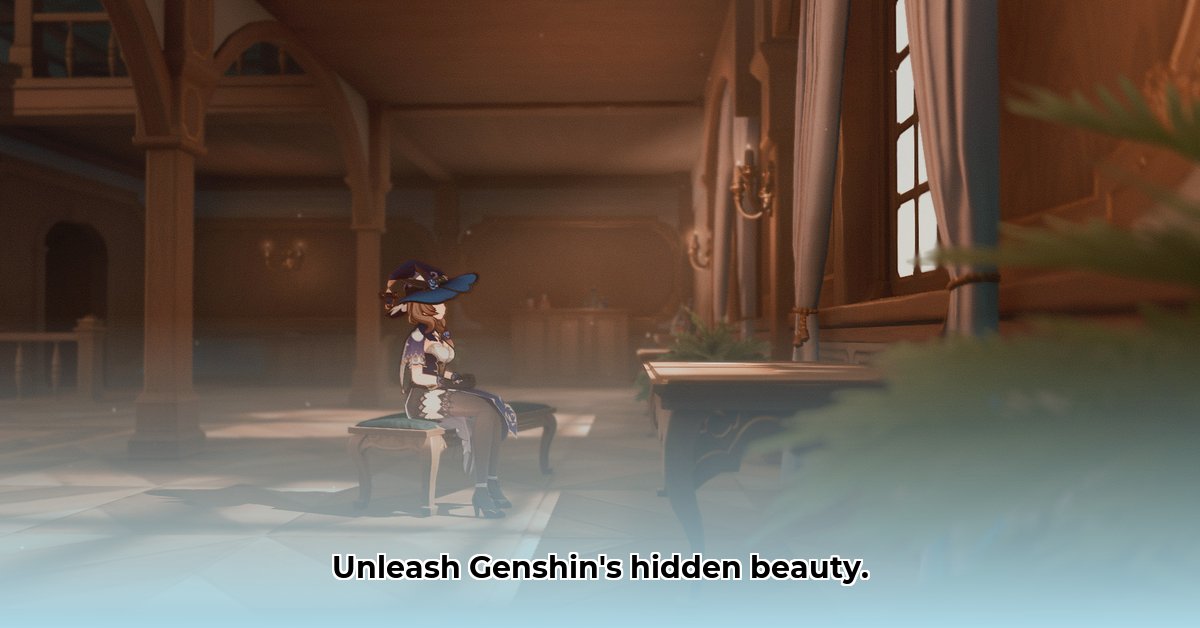
Want to elevate your Genshin Impact experience to breathtaking new heights? ReShade mods offer a powerful way to enhance the game's visuals, but navigating the options can be tricky. This guide compares two leading Genshin Impact ReShade mods – GENSHADE and Genshin-Impact-ReShade – providing a comprehensive review and step-by-step installation instructions. We'll also address potential risks and ethical considerations, ensuring you can safely and responsibly enhance your Teyvat adventures.
GENSHADE: A User-Friendly Enhancement
GENSHADE provides a straightforward approach to improving Genshin Impact's graphics. It's perfect for players who want a noticeable visual boost without the complexity of extensive customization.
Pros:
- Effortless Setup: GENSHADE's pre-configured settings make installation incredibly easy, even for newcomers to modding.
- Subtle Improvements: It refines the existing visuals rather than drastically altering them, ensuring a natural and appealing aesthetic. This is ideal if you prefer a realistic enhancement that doesn't change the game’s look too much.
- Consistent Updates: Regular updates maintain compatibility with the latest game versions, minimizing potential issues.
Cons:
- Limited Tweaking: Advanced users seeking granular control over every visual detail might find GENSHADE's options somewhat restrictive. If you want complete artistic control, you might want something else.
- Smaller Community: While helpful, the community supporting GENSHADE is smaller than that of some other mods, potentially making it slightly harder to find solutions to unique problems.
Step-by-Step Installation (GENSHADE):
- Download: Acquire the latest GENSHADE package from its official source.
- ReShade Installation: Download and install ReShade, carefully following the on-screen prompts. You'll need to select your Genshin Impact executable file.
- GENSHADE Integration: After installing ReShade, locate and select the GENSHADE shader files.
- Launch and Enjoy: Launch Genshin Impact and revel in the improved visuals!
Genshin-Impact-ReShade: Maximum Customization with Stella Mod Integration
Genshin-Impact-ReShade offers a far more extensive array of visual effects and, crucially, integrates with the popular Stella Mod. This combination unlocks a vast range of customization opportunities for experienced modders.
Pros:
- Extensive Customization: A wide variety of settings allow for precise control over nearly every aspect of the game's visuals. You have ultimate artistic control over the game's look.
- Stella Mod Synergy: The Stella Mod integration streamlines the process of adding advanced graphical enhancements, simplifying installation and improving potential stability. This is a great time saver.
- Large, Active Community: A thriving community offers abundant support and resources, ensuring assistance is readily available when needed.
Cons:
- Steeper Learning Curve: The sheer number of options can be overwhelming for beginners. Expect to invest time in learning the nuances of the mod's settings.
- More Complex Setup: Installing Genshin-Impact-ReShade, especially with the Stella Mod, requires more technical proficiency than GENSHADE.
- Potential Instability: While generally stable, using a large number of shaders simultaneously might occasionally lead to minor glitches or performance dips.
Step-by-Step Installation (Genshin-Impact-ReShade):
- Download: Obtain both Genshin-Impact-ReShade and the Stella Mod.
- ReShade Setup: Install ReShade, guiding it to your Genshin Impact executable.
- Stella Mod Integration: Follow the Stella Mod's integration instructions meticulously.
- Shader Selection & Fine-Tuning: Choose your shaders and meticulously adjust settings; experimentation is key.
- Thorough Testing: Launch the game and carefully test for stability and performance.
GENSHADE vs. Genshin-Impact-ReShade: A Head-to-Head Comparison
| Feature | GENSHADE | Genshin-Impact-ReShade |
|---|---|---|
| Ease of Use | Excellent | Moderate |
| Customization | Limited | Extensive |
| Performance | Generally good; further benchmarking needed | Variable; depends on shader load; further benchmarking needed |
| Community Support | Moderate | High |
| Stella Mod Int. | No | Yes |
Universal ReShade Installation Guide
These steps apply to both mods:
- Critical Backup: Always back up your save files before proceeding. This safeguards your progress against potential issues.
- ReShade Download: Download the latest ReShade installer from the official website.
- Executable Selection: Select your Genshin Impact executable file within the ReShade installer.
- Shader Selection: Choose the appropriate shaders from either the GENSHADE or Genshin-Impact-ReShade package.
- Testing and Refinement: Thoroughly test your installation, adjusting settings for optimal visual quality and performance.
Mitigating Risks: Safe and Responsible Modding
Download mods exclusively from trusted sources to avoid malware. Always back up your game files before installation. Monitor your system's performance for any anomaly. Remember the ethical implications – avoid mods that provide unfair advantages in online multiplayer. Adherence to the game's terms of service is crucial to prevent account penalties.
Conclusion: Choosing the Right ReShade Mod
GENSHADE offers ease of use and subtle enhancements, while Genshin-Impact-ReShade provides extensive customization with the added benefit of Stella Mod integration. The best choice depends on your technical skill and desired level of visual control. Remember to prioritize responsible modding practices for a safe and enjoyable gaming experience.
Further Resources
Explore online Genshin Impact communities for additional support, tips, and troubleshooting assistance. These communities are invaluable resources for modders of all skill levels.
⭐⭐⭐⭐☆ (4.8)
Download via Link 1
Download via Link 2
Last updated: Tuesday, April 29, 2025